
mirror of https://github.com/Enne2/Led-Monitor-2
You can not select more than 25 topics
Topics must start with a letter or number, can include dashes ('-') and can be up to 35 characters long.
2.9 KiB
2.9 KiB
LED Matrix Monitor 2
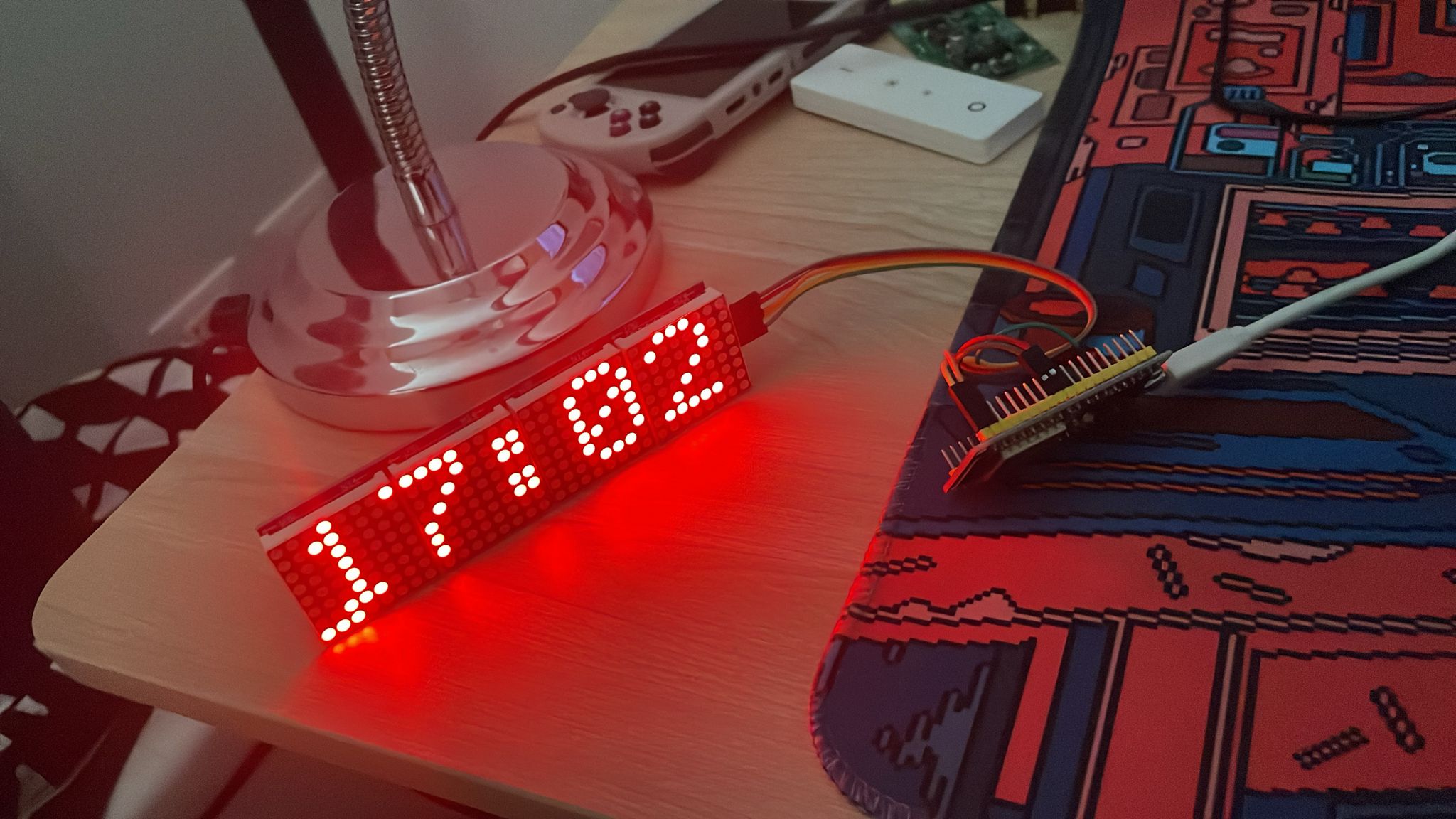
A customizable LED matrix display project using ESP32 and MAX7219 LED matrix modules. This project creates a "Matrix"-style rain effect combined with a functional digital clock that synchronizes time via WiFi/NTP.
Features
- Matrix-style falling characters rain effect
- WiFi connectivity for automatic time synchronization with NTP servers
- Digital clock display with seconds progress bar
- Customizable text display (scrolling and centered)
- Configurable LED brightness
- Modular code architecture for easy expansion
Hardware Requirements
- ESP-WROOM-32 development board
- MAX7219 LED matrix modules (4 units in cascade, 8x8 each)
- Power supply for the ESP32 and LED matrices
- Connecting wires
Wiring
| ESP32 Pin | MAX7219 Pin |
|---|---|
| 5 | CS |
| 23 | DIN |
| 18 | CLK |
| GND | GND |
| 5V | VCC |
Software Dependencies
- Arduino framework for ESP32
- MD_MAX72XX library for controlling MAX7219 LED matrices
- WiFi library for connectivity
- Time library for handling time functions
Installation
- Clone this repository or download the source code
- Open the project in PlatformIO IDE
- Create a
credentials.hfile in the/srcdirectory with your WiFi credentials:
#ifndef CREDENTIALS_H
#define CREDENTIALS_H

#define WIFI_SSID "your_wifi_ssid"
#define WIFI_PASSWORD "your_wifi_password"
#define NTP_SERVER "pool.ntp.org"
#define GMT_OFFSET_SEC 3600  // Change based on your timezone (3600 = +1 GMT)
#define DAYLIGHT_OFFSET_SEC 3600  // Change if daylight saving time is in effect

#endif
- Build and upload the project to your ESP32
Usage
Once powered up, the device will:
- Connect to WiFi and sync time with NTP servers
- Display a "MATRIX" welcome message
- Show the matrix rain effect
- Periodically display the current time with a seconds progress bar on the bottom row
Configuration Options
Customize the project by adjusting these parameters in main.cpp:
MAX_DEVICES: Number of connected 8x8 LED matrices (default: 4)MAX_BRIGHTNESS: Maximum LED brightness level (0-15)- Pins for connecting MAX7219 modules to the ESP32:
CS_PIN: 5DIN_PIN: 23CLK_PIN: 18
Code Organization
The code is organized into modules to improve maintainability:
/src/main.cpp: Main program entry point/src/effects/matrix_rain.*: Matrix rain effect implementation/src/display/text_display.*: Text display functions/src/utils/wifi_manager.*: WiFi and NTP connectivity/src/utils/time_utils.*: Time formatting and utilities/src/fonts/font5x7.h: Font definition for the display
License
This project is provided as an open-source example for educational purposes.
Acknowledgments
- Inspired by the digital rain effect from "The Matrix" movie
- Built with PlatformIO IDE for seamless development